
Convert WebP to JPEG Online for Free
Perfect for product shots, portraits, avatars, and ecommerce images.
Perfect for product shots, portraits, avatars, and ecommerce images.
Do you have a WebP image that refuses to open in older design programs or upload to certain websites? Our quick web to jpeg convert tool allows you to convert WebP files into universally accepted JPEGs in just a few seconds. Although WebP is excellent for web optimization, many desktop applications still do not support it natively. Our online utility helps you convert webp to jpg effortlessly. Whether you need to process a single web to jpeg transfer or quickly format a webp file to jpg, our browser-based tool is completely free. Learn how to convert webp to jpeg today with our easy online editor.
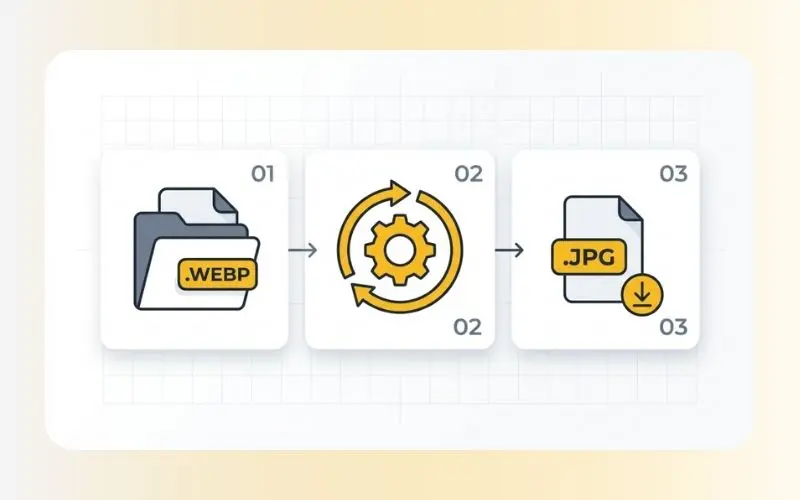
Converting your images is simple and straightforward. Follow these steps:
Upload your WebP image: Select the file from your computer or mobile device.
Process: Our tool instantly reads the WebP file and switches the format container to JPEG.
Download: Save your newly formatted JPEG image back to your local storage.
When converting modern web formats to older, highly compatible standards, you need an efficient tool. Our converter offers several practical benefits:
Universal Compatibility: JPEGs are supported by almost all offline image viewers, older operating systems, and digital publishing platforms.
Easy Offline Editing: Many standard photo editors process JPEGs faster and more reliably than WebP files.
Seamless File Sharing: Sending JPEGs via email or messaging applications ensures the recipient can open the file without needing special plugins.
No Software Required: You do not need to install complex graphic design programs. The entire conversion process occurs directly inside your browser.
Our web conversion service is optimized for speed and reliability:
Input Format: WebP (supports both lossy and lossless files).
Output Format: JPEG / JPG.
Data Privacy: Your files are safe with us. All uploads and downloads are processed over secure SSL connections. Your converted files are automatically deleted from our servers within a short period, ensuring your photos remain completely private.
While WebP is the superior format for reducing website bandwidth, it is not always the best choice for storage, physical printing, or local offline work. Converting WebP to JPEG is highly recommended when you need to print a photo, import graphic files into legacy presentation software, or share assets with clients who might not have modern web tools configured on their devices.
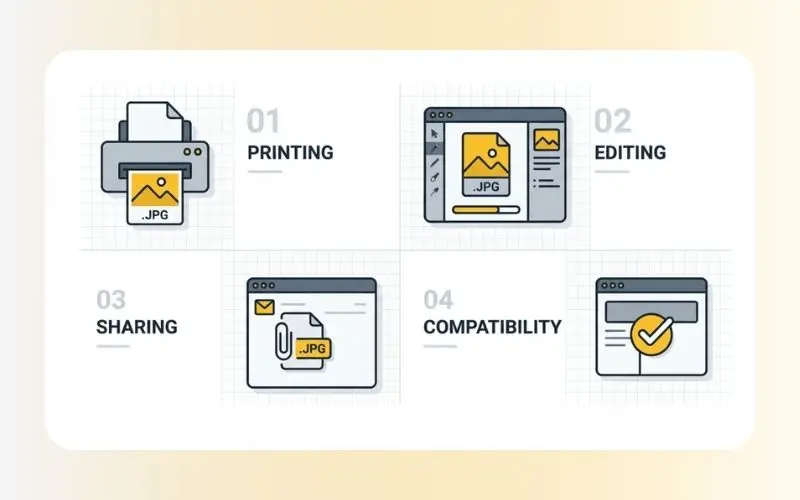
While WebP keeps files small for online speed, many native software platforms, printers, and older content management systems still require JPEG files for standard editing and printing.
Yes. Our conversion utility is fully free to use. You can change your files quickly with no signup, email registration, or subscription required.
Since both formats support lossy compression, converting might introduce minor compression changes. However, our conversion tool works to keep visual quality loss to a minimum.
If your newly converted JPEG file has too large a file size for your needs, try using our online image compressor tool to shrink it down for easier sharing. If the original image was blurry or lacked detail, you can run it through our image upscaler tool to improve its overall clarity and resolution before sharing it with others.