
AI Image Upscaler & HD Photo Enhancer
Perfect for product shots, portraits, avatars, and ecommerce images.
Perfect for product shots, portraits, avatars, and ecommerce images.
Struggling with low-resolution, pixelated, or compressed photos? The EzPic AI image upscaler is designed to increase image quality by up to 4x, supporting input resolutions up to 6000 pixels. By utilizing advanced deep-learning models, our online pixel enhancer suppresses JPEG artifacts, clears up noise, and reconstructs lost high-frequency details. Instead of simply stretching your pixels like traditional resizing software, our web-based image resolution enhancer analyzes and redraws textures, acting as a reliable AI image enhancer. Discover how easy it is to upscale your files and use our HD photo enhancer to deliver sharp, print-ready results in seconds.
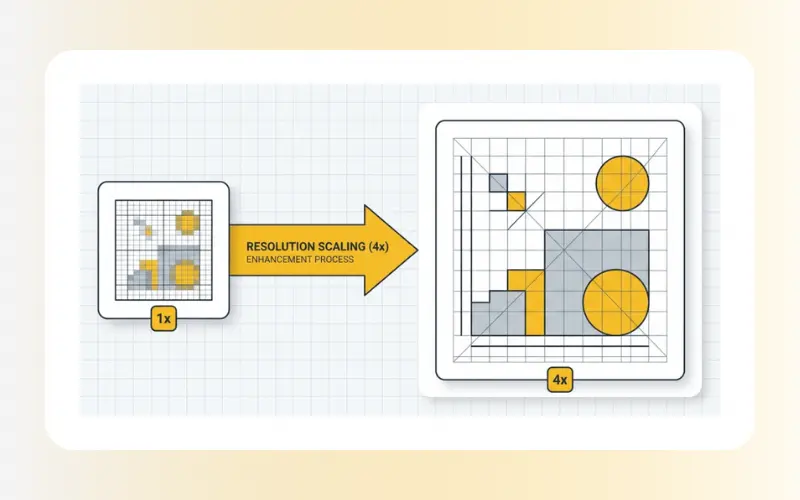
Improving your photo resolution is simple with our automated system. Follow these steps to generate high-definition graphics:
Upload Your Image: Drag and drop your photo into the designated processing zone, or click to browse files from your local storage. We support standard formats such as JPG, JPEG, PNG, and WebP.
Process with AI: Our AI model analyzes your graphic to isolate noise, correct blur, and upscale the physical dimensions of your image. This cloud-based process takes only a few seconds to complete.
Download the HD Output: Review the enhanced preview on your screen. Once satisfied with the restored texture clarity, download your high-resolution image to your device.
Standard photo editors use basic geometric algorithms to increase resolution, which often leads to fuzzy edges and pixelation. Our AI image upscaler works differently by regenerating missing details instead of stretching existing pixels.
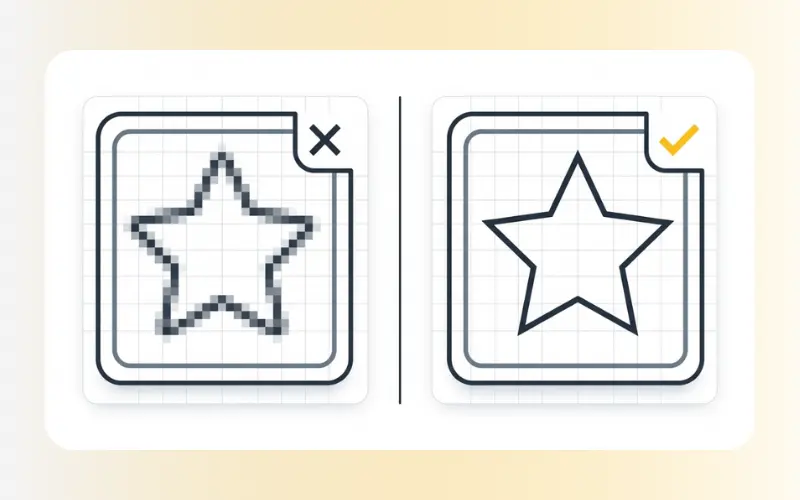
The comparison below outlines the differences between legacy resizing methods and the EzPic enhancement engine:
Resolution Increase
Traditional Resize (Bicubic / Bilinear): Stretches existing pixels, which often creates blurred gaps.
EzPic AI Image Upscaler: Reconstructs missing sub-pixel details using trained AI models.
Edge Sharpness
Traditional Resize: Introduces blurry, soft edges and halos around high-contrast areas.
EzPic AI Image Upscaler: Renders clean, defined boundaries.
Noise & Artifacts
Traditional Resize: Magnifies existing JPEG compression blocks and background noise.
EzPic AI Image Upscaler: Automatically suppresses compression artifacts and isolates noise.
Text Legibility
Traditional Resize: Distorts small or low-resolution text into unreadable shapes.
EzPic AI Image Upscaler: Recognizes character strokes to restore readability.
Texture Integrity
Traditional Resize: Flattens complex surfaces, making skin, hair, or cloth look pixelated.
EzPic AI Image Upscaler: Regenerates fine textures such as skin pores and fabric weaves.
Processing Power
Traditional Resize: Demands low CPU load, resulting in fast but often inaccurate outputs.
EzPic AI Image Upscaler: Requires specialized deep-learning GPU servers to analyze context and redraw details.
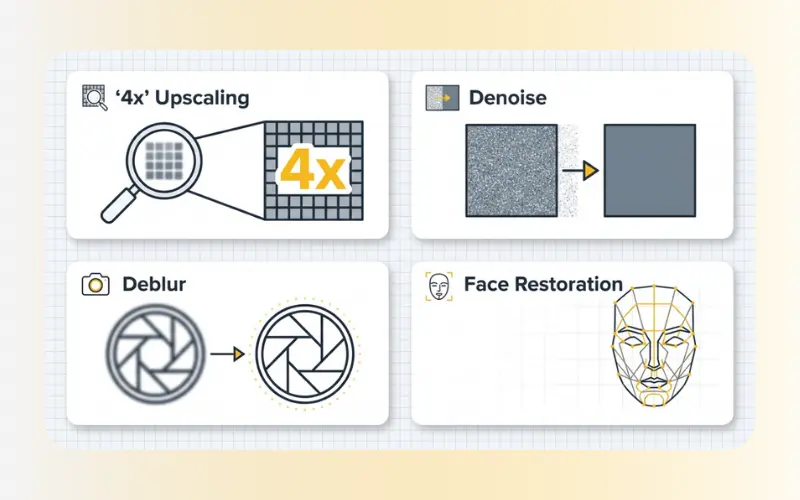
Our system coordinates multiple specialized processes to target specific image degradations:
Super-Resolution: Artificially increases the spatial resolution (e.g., from 1080p to 4K) by filling in missing pixels based on learned real-world textures.
Denoising: Automatically identifies and removes high-ISO digital noise and grainy artifacts typically found in night photography or low-light smartphone shots.
Deblurring: Uses deconvolution algorithms to correct minor focus camera errors or mild motion blur from moving subjects.
Face Restoration: Detects human facial landmarks to reconstruct eyes, teeth, skin texture, and hair with precision, helping subjects avoid looking synthetic.
Whether you are preparing images for digital displays, print media, or personal archives, this tool adapts its processing to various image categories:

Old Family Photos: Analog print scans or old digital photos from early 2000s cameras often suffer from heavy compression, fading, and grain. The AI restores lost details in facial features and smooths out paper grain patterns.
E-Commerce & Product Photography: Low-quality supplier images can hurt conversion rates. Enhance product catalog photos to reveal fabric textures, stitching, and clear product labeling, making your listings look professional.
Anime & Digital Illustrations: Digital art can suffer from jagged lines (aliasing) and pixelation when resized. Our super-resolution model preserves solid color blocks and cleans up raster outlines for smooth, clean digital illustrations.
Scanned Documents & Invoices: Low-resolution scans, screenshots, or receipts are often difficult to read. The enhancement engine sharpens text characters and contrast, making documents suitable for archival use or text recognition (OCR) software.
Social Media & Profile Photos: Social media platforms heavily compress user uploads. EzPic reverses compression artifacts on profile pictures, headshots, and travel photographs, preparing them for digital use.
Our web-based utility is built to balance rapid browser processing with high-quality image retention.
Supported Upload Formats: JPG, JPEG, PNG, WebP.
Maximum File Dimensions: Up to 6000 x 6000 pixels on the longest edge.
Upscaling Limit: Supports up to 4x (400%) of the original dimensions.
Platform Accessibility: Compatible with Chrome, Safari, Edge, Firefox, and major mobile browsers (iOS & Android).
Security Protocol: Secure Sockets Layer (SSL) encryption protects all uploads. Files are automatically cleared from our temporary storage nodes within 2 hours.
Simply raising the resolution of an image (making the width and height larger) does not improve its visual quality if you use standard tools; it merely stretches the existing pixels and makes the blurriness larger. However, an AI-powered pixel enhancer actually improves quality because it reconstructs missing detail and sharpens edges as it scales the resolution.
Upscaling strictly refers to enlarging the physical dimensions (resolution) of an image. Enhancing refers to repairing image quality by removing noise, correcting blur, balancing contrast, and restoring lost details. EzPic combines both features, scaling up the resolution while cleaning up the overall aesthetic quality.
Yes, our deblurring model can correct soft focus issues and motion blur caused by camera shakes. However, please note that if an image is completely out of focus or heavily motion-blurred to the point where all shapes are unrecognizable, the AI cannot reconstruct details that are entirely missing.
Once you have finished using our system to optimize your image quality, you can use our other tools to complete your project:
Clean Up Distractions: If your enhanced image has unwanted elements, use our Remove Objects or Remove Person tools to clean them up.
Optimize File Size: If your high-resolution output file is too large for fast web loading, optimize it without losing quality with our Compress Images tool.
Convert Your Formats: Need your enhanced file in a different format? Easily switch formats using our JPG to WebP or PNG to WebP converters, or save WebP files back to standard formats using our WebP to PNG or WebP to JPG utilities.