
Convert PNG to JPEG Online for Free
Perfect for product shots, portraits, avatars, and ecommerce images.
Perfect for product shots, portraits, avatars, and ecommerce images.
Looking for a quick way to convert your transparent graphics into a widely compatible format?
Our online png to jpeg tool helps you change files quickly and securely. While PNG is excellent for keeping transparent backgrounds, converting to JPEG is often necessary to reduce file sizes for web uploads or email attachments. Our free png converter allows you to convert png to jpg in just a few clicks without requiring any software installation. If you need a reliable png to jpg solution that preserves important image details, this online utility is here to help.
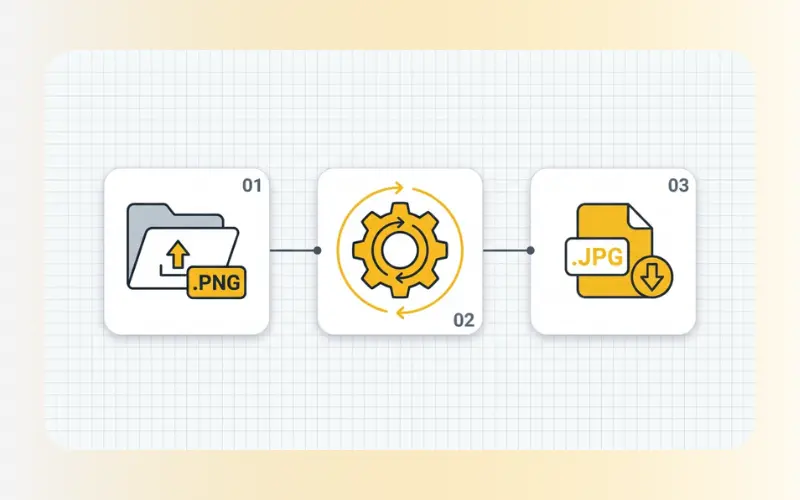
Our conversion process is straightforward and requires only a few steps:
Upload your image: Drag and drop your PNG file or click to select it from your local storage.
Convert automatically: The tool will instantly process your image and change the container format.
Download your file: Save the newly formatted JPEG file directly to your desktop or mobile device.
Converting image formats should not be complicated. Here is why web creators and everyday users rely on our converter to manage their image files:
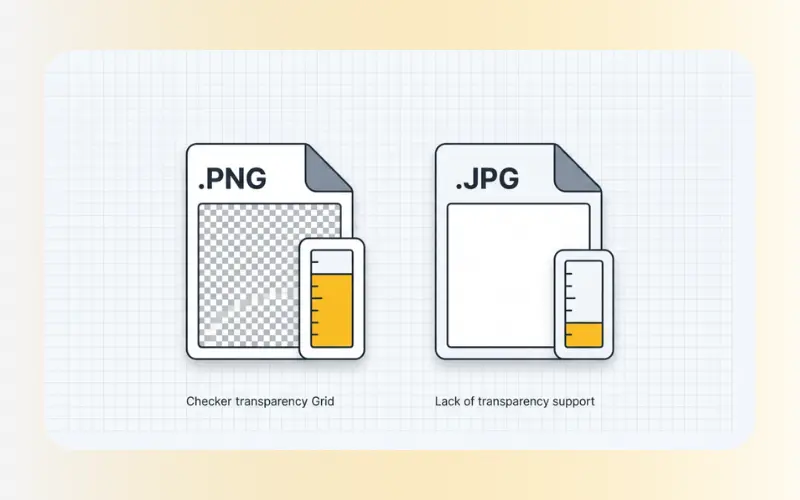
File Size Reduction: PNG files are lossless and can often be quite large. Converting them to JPEG reduces the overall file size, making them easier to store and share.
Broad Compatibility: While modern browsers support various formats, JPEG remains a highly compatible image standard recognized by almost every program, website, and operating system.
No Software Required: You do not need to download or install complex photo editing software. The entire conversion is handled securely within your web browser.
Preserved Detail: Our converter aims to maintain a high level of visual clarity throughout the translation process, protecting the source detail of your image.
Our web conversion utility is built to handle common web formats efficiently:
Input Format: PNG (including images with transparent backgrounds). Note that because JPEG does not support transparency, transparent areas will default to a solid background (typically white).
Output Format: JPEG / JPG.
Data Security: We take privacy seriously. All file transfers are secured with SSL encryption, and uploaded files are automatically deleted from our servers shortly after processing. We do not store or share your images.
Because the JPEG format does not support transparency, any transparent areas in your original PNG image will automatically be filled with a solid background color, which is usually white.
Yes, our converter is free to use. You can change your files quickly without signing up for an account or paying any subscription fees.
JPEG uses lossy compression, which is designed to reduce file sizes by discarding data that is less noticeable to the human eye. While there is a slight structural change in the image data, our tool works to maintain a high level of visual clarity so your photos still look sharp.
If your newly converted file is still too large for your website or email, you can use our Compress Images tool to shrink the file size further. Alternatively, if you want a modern format designed specifically to keep files small while maintaining high quality, try converting your images using our PNG to WebP converter.