
Convert PNG to WebP Free Online
Perfect for product shots, portraits, avatars, and ecommerce images.
Perfect for product shots, portraits, avatars, and ecommerce images.
Looking for a quick way to optimize your site's images without losing their transparent details? You can convert png to webp easily using our online utility. While PNG files are excellent for maintaining crisp edges and transparent backgrounds, they are often too large for optimal page performance. Our online png to webp converter free tool helps you transition to a modern image format, reducing file size while preserving essential visual details. Get started with our png to webp free conversion service today and speed up your web pages.
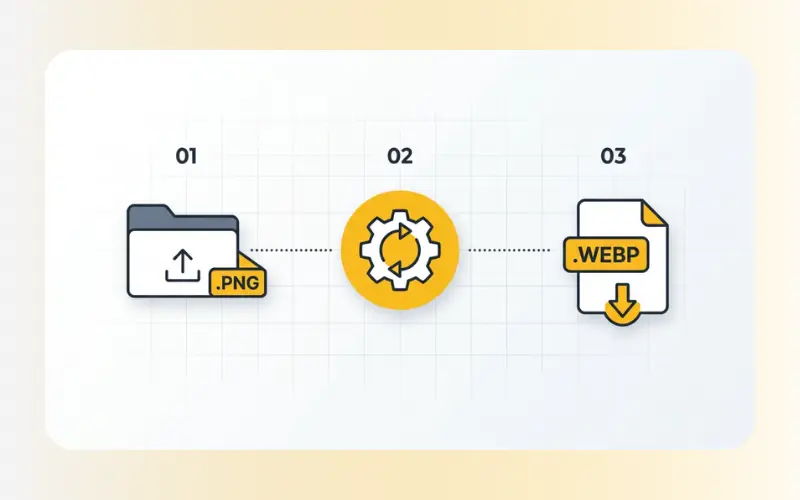
Our online tool simplifies the format migration process into a few easy steps:
Upload your file: Drag and drop your PNG image or select it from your device storage.
Process: Our tool will handle the format conversion in the background within seconds.
Download: Save the newly created WebP file directly to your local drive.
Web performance is a critical factor for both search rankings and user experience. When you convert png to webp, you address performance issues without sacrificing visual clarity:
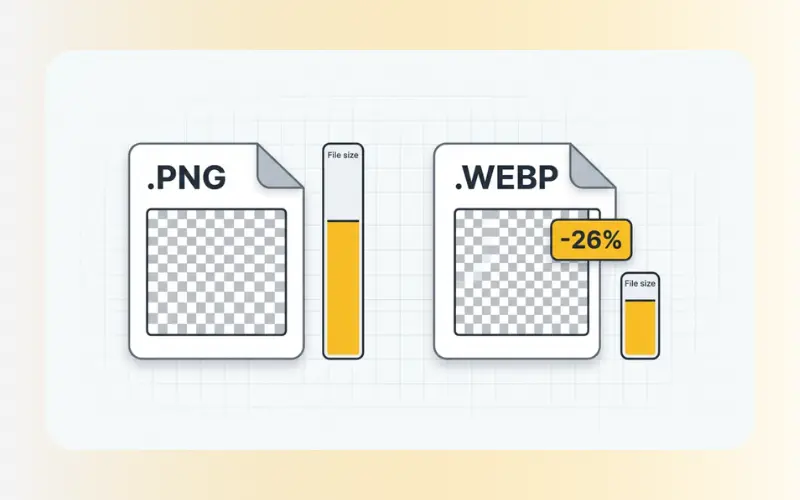
Retained Transparency: Unlike older formats like JPEG, WebP supports alpha channel transparency. This means you can keep your transparent backgrounds intact while drastically reducing file size.
Significant File Compression: WebP lossless images are generally much smaller than equivalent PNG files. This reduction in data weight helps your pages load faster.
SEO Benefits: Faster loading times positively affect your site's Core Web Vitals, which is a key ranking signal for major search engines.
Modern Web Compatibility: Almost all modern web browsers support the WebP format, making it the current standard for digital graphics and illustrations.
Our web conversion service is designed for speed and reliability:
Input Format: PNG (including transparent graphics).
Output Format: WebP (supports both lossy and lossless configurations).
Security & Privacy: To protect your private information, all file transfers are encrypted using secure SSL connections. Uploaded files are automatically deleted from our servers within a short time after your session ends.
Yes. The WebP format supports transparency in the same way PNG does. Your transparent background will remain intact during the conversion process.
Yes, our online service is completely free. You can convert your files without creating an account, registering, or encountering hidden fees.
Both formats provide high-quality, lossless rendering, but WebP compression algorithms are more efficient. Lossless WebP files are typically around 26% smaller than equivalent PNGs, which saves bandwidth and hosting storage.
If you have other image assets that require attention, we offer several helpful utilities to streamline your workflow. Use our JPG to PNG converter if you need to restore compatibility for older systems, or try our AI-powered Enhance Images tool to improve the resolution and clarity of your photos before you convert them.