
Convert WebP to PNG Online for Free
Perfect for product shots, portraits, avatars, and ecommerce images.
Perfect for product shots, portraits, avatars, and ecommerce images.
Do you need to edit a WebP graphic offline but find that your design software does not support it? Our online utility makes it easy to convert webp to png while fully preserving transparency and image quality. Although WebP is great for online speeds, PNG remains the preferred format for offline editing and professional design assets. Our webp to png converter free tool offers a simple way to perform a web to png conversion in seconds. Learn how to webp convert to png without installing any heavy software or registering for an account.
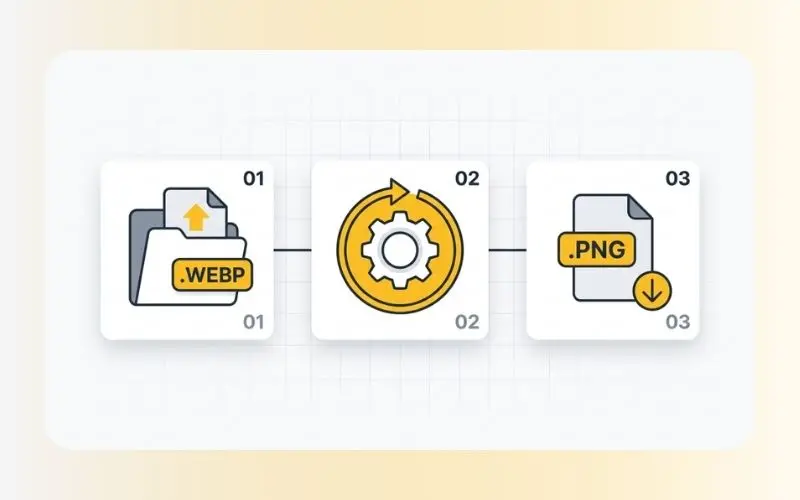
Converting your modern web images into high-quality PNGs is simple. Follow these steps:
Upload your WebP image: Select your WebP file from your computer, tablet, or phone.
Automatic processing: Our converter reads the WebP file and restructures the container format.
Download your PNG: Save the output image with its original transparency intact.
There are several scenarios where moving from a modern web container back to a standard raster format is highly useful:
Retains Transparency: WebP images that contain transparent layers are safely converted to PNG without losing their alpha channels.
Lossless Presentation: PNG uses lossless compression, meaning your converted image will keep its original pixel data.
Wider Software Support: Popular image-editing tools, legacy software, and desktop publishing apps support PNG out-of-the-box.
Convenient and Fast: No software installation is required; you can convert directly inside your web browser.
Our web conversion service is designed for speed and reliability:
Input Format: WebP (lossy or lossless).
Output Format: PNG (supports transparent backgrounds).
Data Protection: We value your data security. Your files are transferred using secure SSL encryption and are completely deleted from our servers shortly after processing, ensuring your work remains private.
If your WebP image has a transparent background, converting to JPEG will turn those transparent areas solid (usually white). When you convert webp to png, the transparency is maintained, making it ideal for logos, icons, and web graphics that need to overlay other background colors in digital layouts or editing suites.
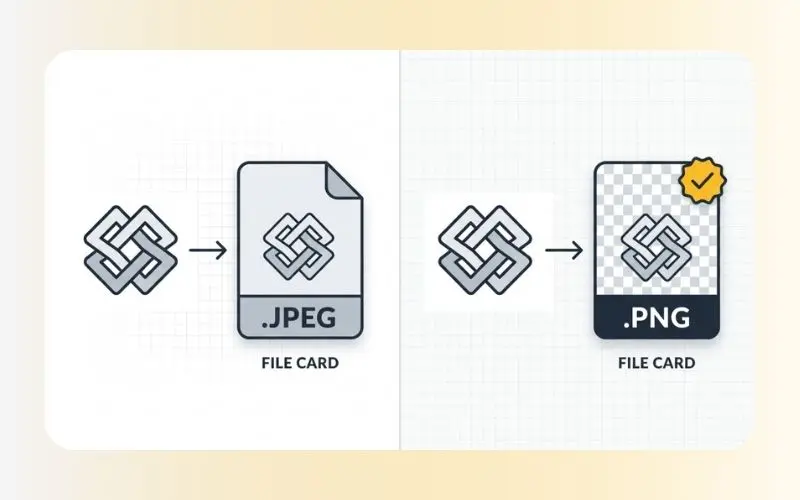
Yes, if the source WebP file has transparency, converting it to PNG preserves the transparent background elements.
No. You can convert your files individually for free without any subscription or registration constraints.
Yes, our converter is fully responsive and runs on mobile browsers for both iOS and Android.
If you ever need to optimize your PNG files back into a lightweight web format in the future, you can always use our specialized PNG to WebP converter. Additionally, if you find your final PNG files are too large for storage, consider using our Compress Images tool to easily reduce file sizes without losing noticeable visual clarity.